> For the complete documentation index, see [llms.txt](https://docs.flowappz.com/home/llms.txt). Markdown versions of documentation pages are available by appending `.md` to page URLs; this page is available as [Markdown](https://docs.flowappz.com/home/video-cloud/installing-video-cloud.md).

# Installing Video Cloud

**Step 1: Open the Apps Panel in Webflow**

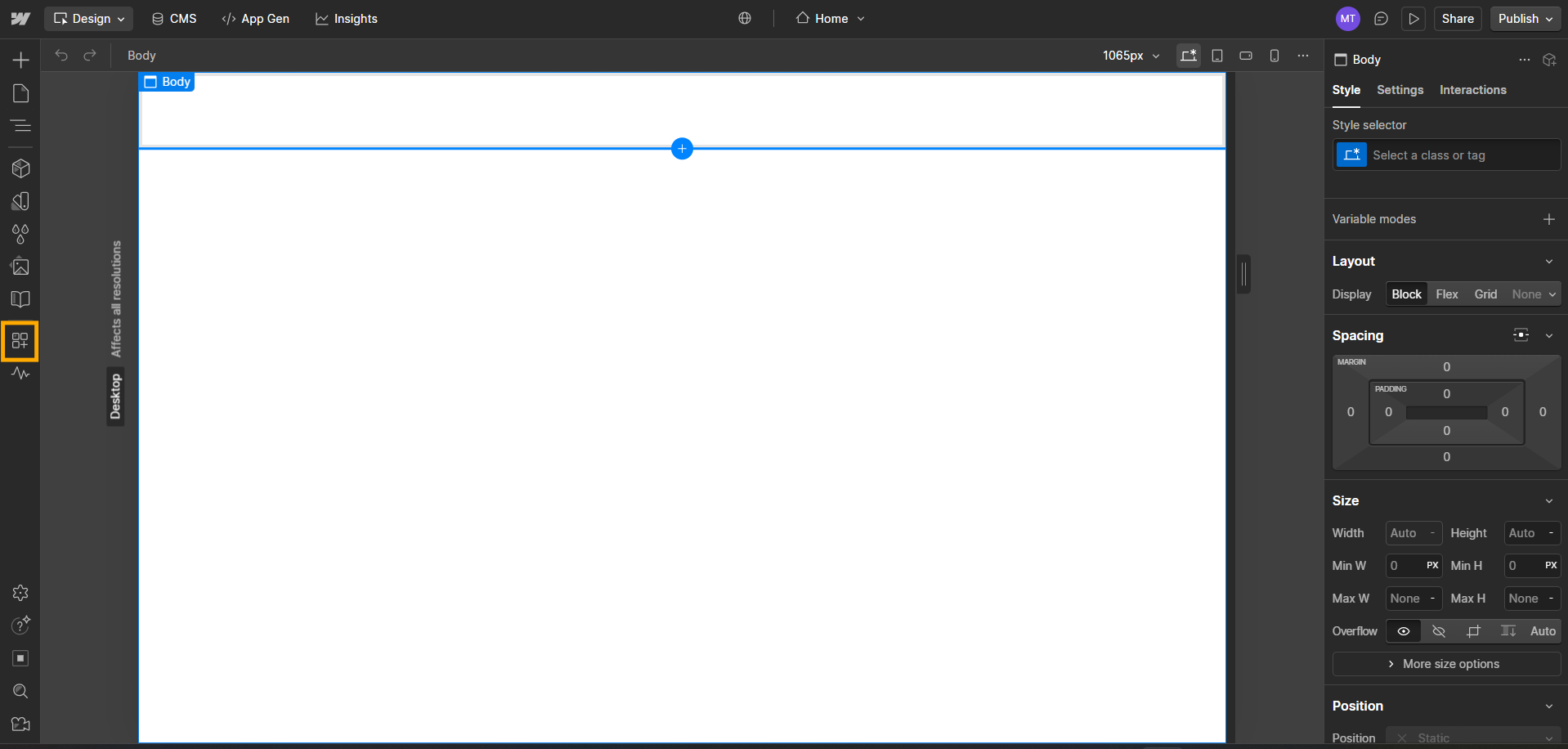
Navigate to your **Webflow Designer**, then click on the **Apps** icon located in the left sidebar.\
Refer to the screenshot below for visual guidance.

<figure><img src="/files/2vPpPo9ymTR0dEwGUSr1" alt=""><figcaption></figcaption></figure>

\
**Step 2: Search for “Video Cloud” in the Apps Marketplace**

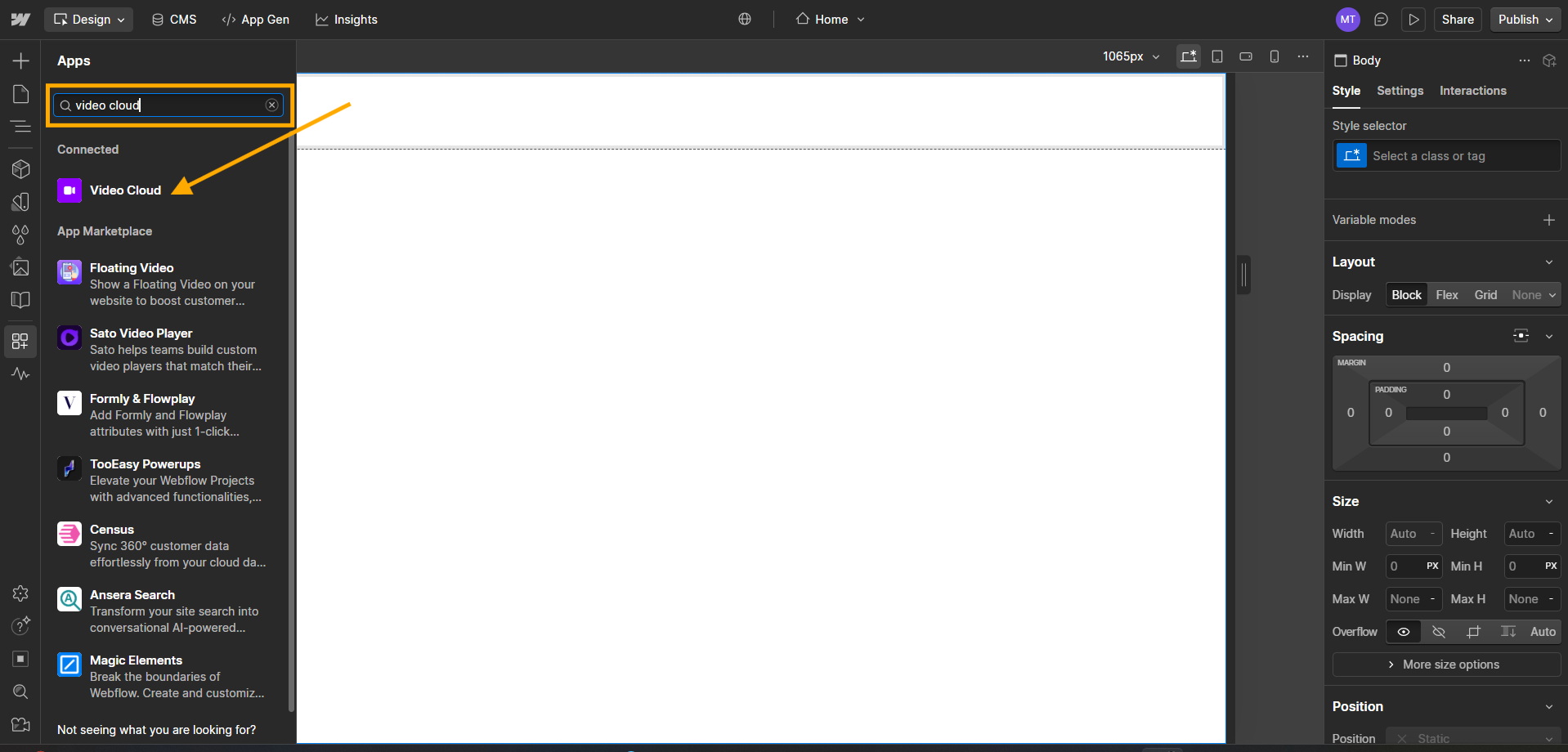
In the **Apps** panel, use the **search bar** to look for **“Video Cloud”**.\
Once it appears in the results, click on it to open the app page, then click **Install** to add it to your project.\
Refer to the screenshot below for assistance.
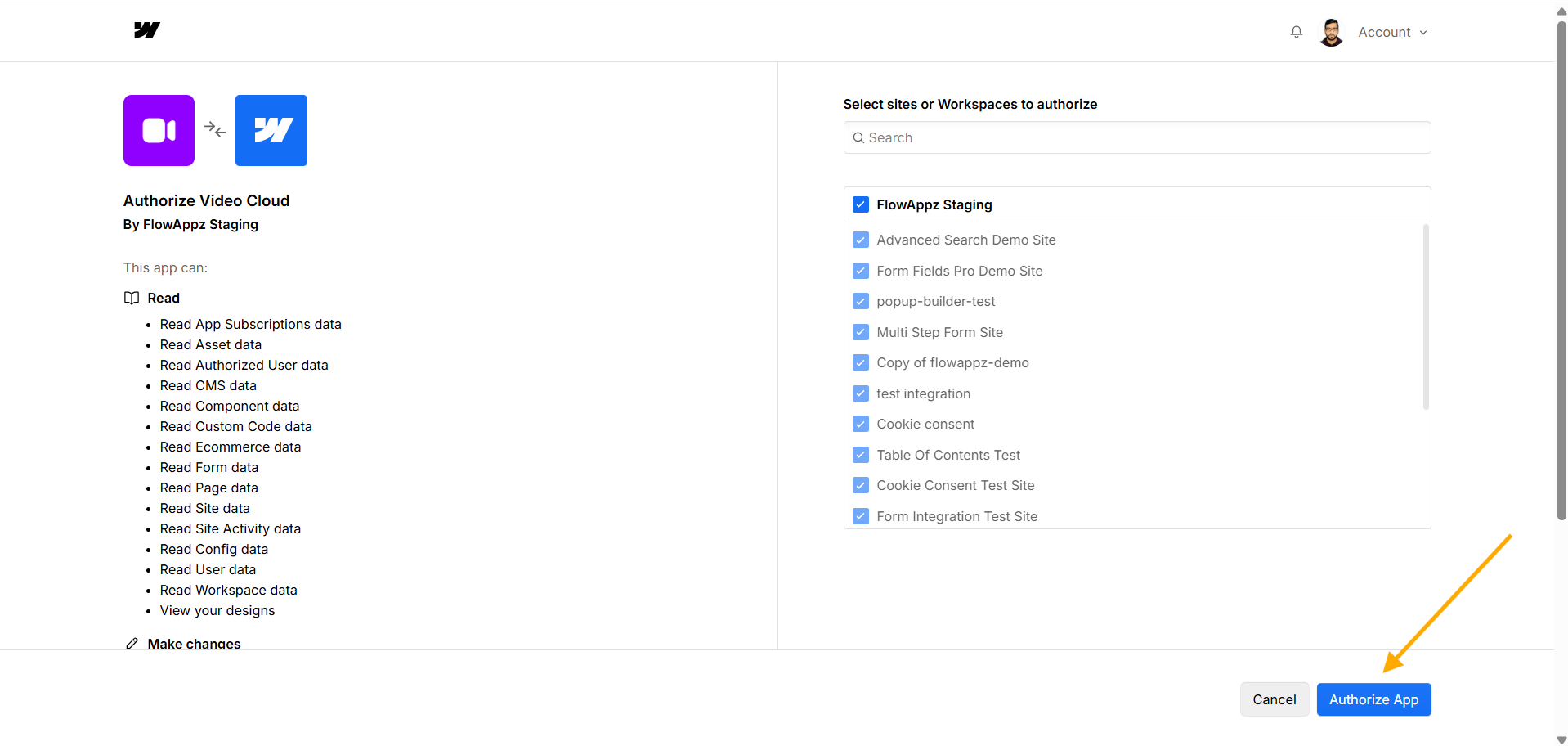
<figure><img src="/files/jkdccjfN0oGlnmANm7YF" alt=""><figcaption></figcaption></figure>

<figure><img src="/files/SjdYF38ifWSRqbe3YVzr" alt=""><figcaption></figcaption></figure>