# Active Campaign
#### Step 1: Set Up Active Campaign Integration
To connect your Form with **Active Campaign**, follow these steps:
1. **Navigate to the Integrations Tab**\
From the main dashboard, go to the **Integrations** tab.
2. **Connect Active Campaign**\
Click the **Active Campaign**.\
An Active Campaign setup form will appear.
3. **Configure the Active Campaign Connection**
* Enter a **unique connection name** to identify this Active Campaign integration.
* Paste your **Active Campaign base URL** from your Active Campaign account
* Paste your **Active Campaign** **API Key** from your Active Campaign account.
> 🔑 *You can generate your API key from your Active Campaign Account Settings.*
4. **Save the Connection**\
Click the **Save** button to store the Active Campaign integration.
#### Step 2: Connect Active Campaign to a Form
To use Active Campaign with a specific Form, follow the steps below:
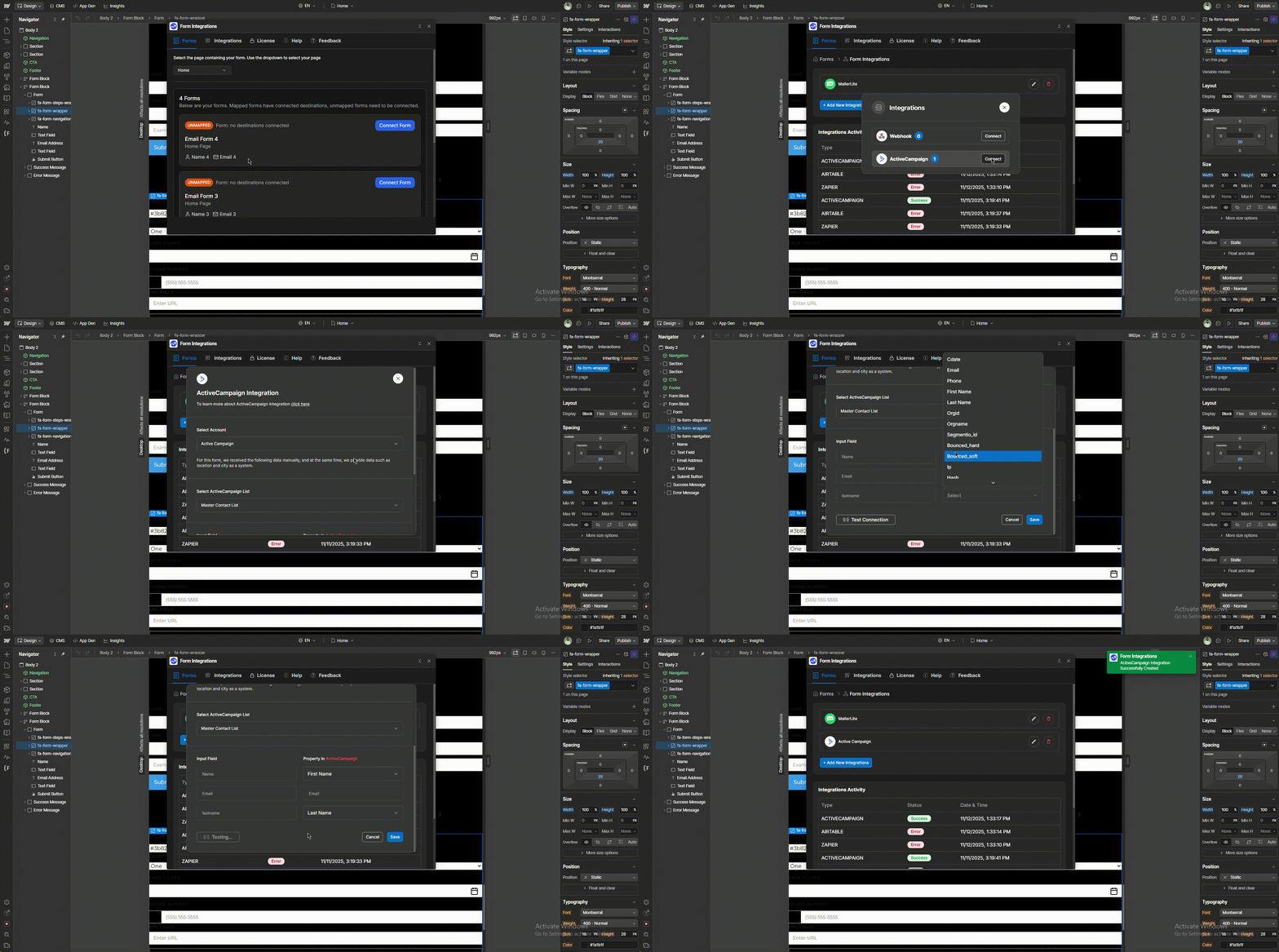
1. **Navigate to the From Tab**\
From the dashboard, go to the **Forms tab**.
2. **Connect the Target Form**\
Select the target form page from the dropdown, then click the form’s **Connect Form** button.
3. **Click “Add New Integration”**\
This will open a modal with all available integration options.
4. **Connect Active Campaign**\
Click the **Connect** button next to **Active Campaign**.\
An Active Campaign setup pop-up will appear.
5. **Configure the Active Campaign Integration**
* Select the **previously created Active Campaign API key** from the dropdown.
6. **Select Active Campaign List**\
Choose your preferred **Active Campaign** **audience/list** where the data will be stored.
7. **Match Form Fields**\
Map the Form input fields to the corresponding **Active Campaign** list fields.
> 🛠️ *This allows you to control which user input gets saved to which Active Campaign field.*
8. **Test the Connection**\
Click **"Test Connection" to verify that** everything is set up correctly.
9. **Save the Integration**\
If the test is successful, click **Save** to complete the **Active Campaign** setup for this Form.
> ✅ *Your Form is now successfully integrated with Active Campaign and ready to collect leads.*